
How Kuku.talk helps you start speaking a foreign language
Many people know grammar and words, but freeze when they need to understand real speech or answer without a pause. Kuku.talk solves this not through another long study session, but through short audio that fits into a normal day.
The problem is not only knowledge
In a real conversation there is no time to assemble a sentence word by word. While a person recalls a rule, word order, and the right ending, the other person has already said the next phrase. That is why theoretical knowledge often does not turn into speech.
The second problem is simpler: busy people rarely have a stable hour every day. Work, family, errands, fatigue, and travel quickly turn regular study into an obligation that is easy to postpone.
Movies and YouTube in the original language also do not always help at the beginning: speech is too fast, context changes quickly, and there are too many unfamiliar expressions. Children's shows are often too simple and become boring. What is needed is a mode where the level grows gradually.
Passive listening and spaced repetition
Kuku.talk periodically plays short phrases and individual words. The user can listen carefully, repeat out loud, say the phrase silently, or simply keep the sound in the background. If the moment is not suitable, the audio can be skipped without feeling that the whole process has failed.
The method combines two things: passive listening creates many low-pressure contacts with the language throughout the day, and after Learned is pressed, spaced repetition brings familiar phrases and words back with growing intervals so they do not fall out of memory.
First, the phrase simply becomes familiar. Then it becomes easier to recognize by ear. Then the user starts anticipating what comes next. Over time, the construction comes to mind by itself, like a catchy melody.
Only instead of a random song, useful words, intonation, and ready-made speech patterns settle in memory.
The goal is not to memorize everything the first time. The goal is to bring useful phrases to recognition and automatic use.
Why ready-made chunks matter
In speech, we rarely build every sentence from scratch. Much more often, a person remembers a familiar construction and swaps in the needed words. Memorizing a chunk is almost as easy as memorizing one word, but the practical effect is much higher.
When these patterns are already in memory, speaking becomes easier. You do not have to calculate the grammar every time. You can remember a similar phrase, replace the needed word, and express the idea naturally.
Individual words are still useful: they expand vocabulary and close gaps. But the main focus stays on phrases because they are closer to real speech.
How the process is organized
The user listens to material many times in small portions. Depending on motivation and the situation, the level of attention can change.
- Repeat the phrase out loud after the voice.
- Say it silently to yourself.
- Listen in the background without stopping the current task.
- Ignore or skip it if the moment is not suitable.
- Mark the phrase with Learned once it has become familiar.
After Learned is pressed, the phrase moves from new material into repeat mode. Then it returns according to spaced repetition: what is still weak appears more often, while well-established material returns less often.
A practical rule of thumb is simple: if the user can already anticipate and repeat about 80% of the current set, it is time to move on.
A popup in the corner of the screen
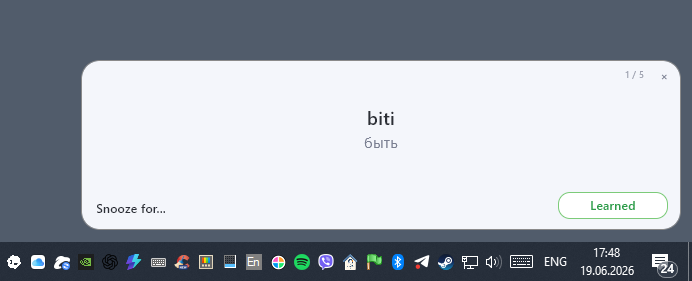
When a short session starts, Kuku.talk shows a compact window in the corner of the screen. It contains the current phrase, translation, queue progress, and quick actions.
The Learned button is for the moment when the phrase has become familiar. After pressing it, the phrase stops being new and returns later in repeat mode so it does not disappear from memory.
Snooze for... is for inconvenient moments: a call, a meeting, or deep focus on another task. The user can postpone audio for a selected time without quitting the app or breaking the schedule for the whole day.
The app lives in the tray
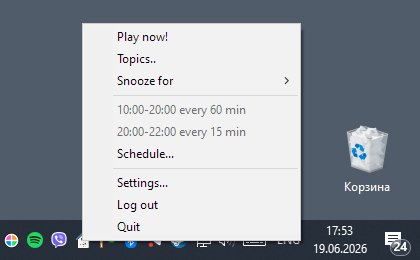
Kuku.talk does not require keeping a window open all the time. The app runs in the background and lives in the system tray near the clock.
From the menu, the user can quickly play a phrase, open topics, snooze playback, go to the schedule, or open settings. This tray-first format means the language appears during the day by itself instead of waiting for the user to remember to open an app.
A schedule that fits the real day
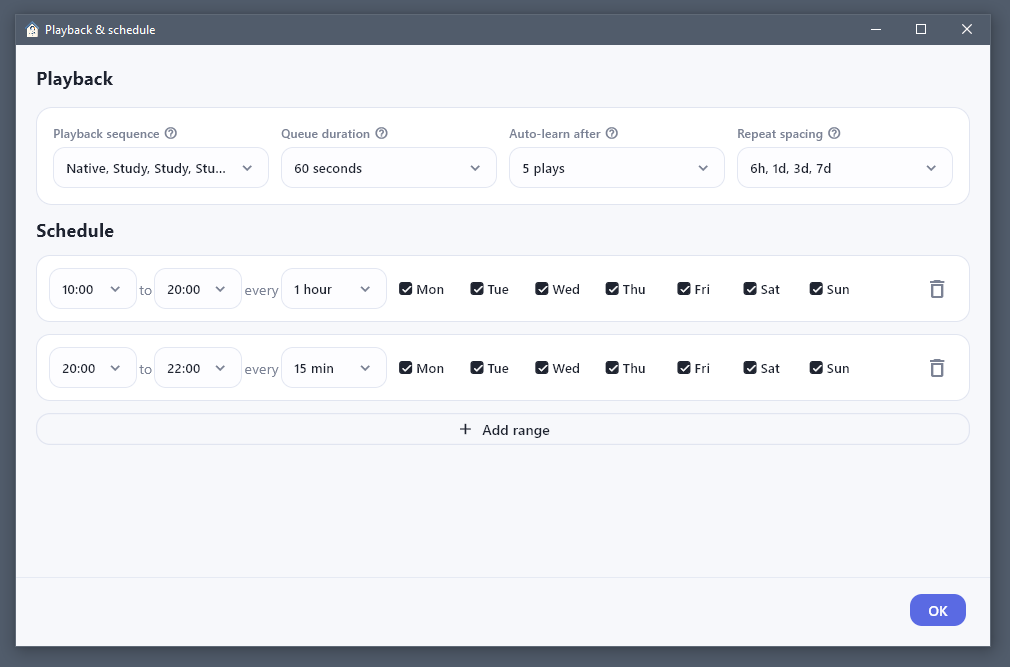
The user chooses the time ranges when the app may play audio. For example, phrases can appear rarely during the day and more often in the evening. Weekdays and several active ranges can be configured.
The same window controls playback behavior: whether to play the translation, how many times to repeat one phrase in a row, how long a phrase series lasts, how quickly a new phrase becomes repeatable, and at what intervals it returns.
Topics instead of a chaotic list
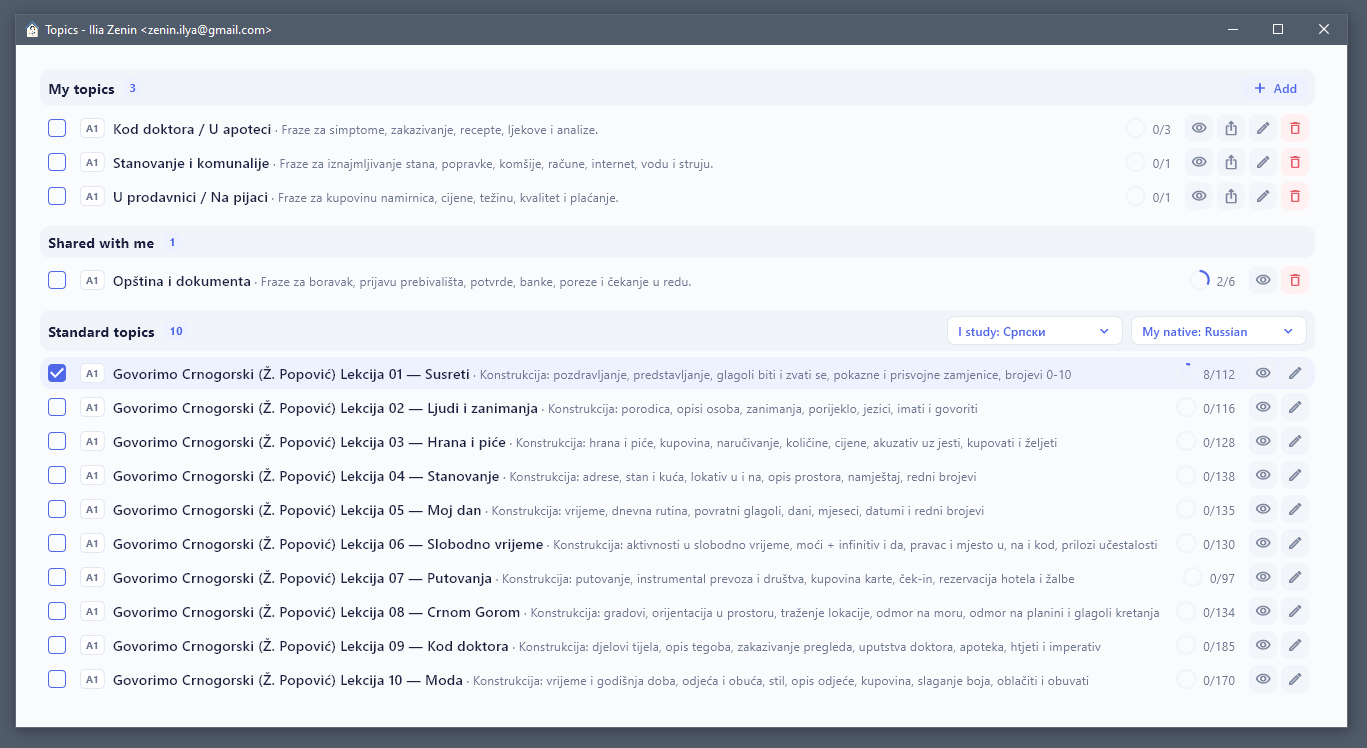
Material is organized into topics: sets of phrases and individual words for a specific theme, level, or study goal. The user chooses which topics are active, sees progress, and can gradually expand the material being learned.
Standard topics are built around popular language courses and move from simple everyday themes to more complex ones. At the first stage, native-language support is planned for English, Russian, German, Montenegrin in Latin script, and Serbian in Cyrillic.
Own materials and motivation for authors
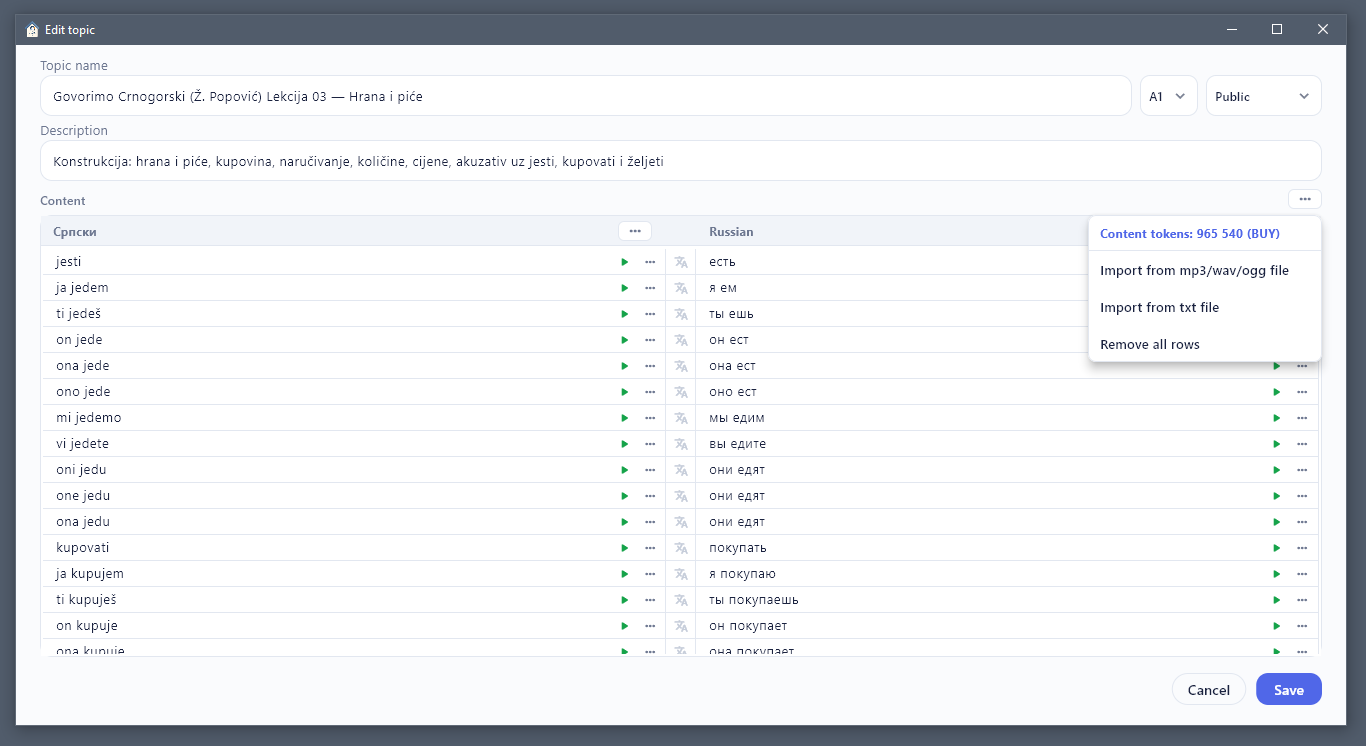
Kuku.talk is not limited to standard topics. A user or teacher can create a custom set of phrases and words, add translations, prepare audio, and allow publication.
Voice generation is currently done through one of the best AI voice models from ElevenLabs. This makes it faster to create good audio material and lowers the entry barrier for authors.
Paid functionality may be added later: for example, a free mode with a limited number of listens per day and a paid mode without that limit. If paying users listen to a specific author's topics, part of the revenue can be distributed to that author through a model similar to Spotify or YouTube.
How this differs from Anki, Quizlet, and Duolingo
Anki, Duolingo, Quizlet, and similar services have real strengths. But most of the time the user has to start manually: open the app, choose a mode, focus, and complete exercises.
For a busy person, that start is often the barrier. Kuku.talk works differently: the app is already running on the computer and turns on during configured time ranges. A person can work, play, rest, or do chores while short audio appears when settings allow it.
So language does not compete for a separate slot in the schedule. It becomes part of the day.
The main idea: do not study heroically, hear the language regularly
Kuku.talk does not replace every way of learning a language. It solves one concrete problem: regularly hearing useful phrases and individual words without needing to reserve a separate hour every day. Short audio, repetition, topics by level and theme, a flexible schedule, and gradual adaptation to the sound of the language turn knowledge into automatic use.